Dns and ip addresses dns and ip addresses becomes easier to understand when you connect each term to one job in the network. Internet addressing can look complicated because several layers operate at once, but most everyday questions become manageable when you separate local addressing, routing, name resolution, and security.
This guide explains DNS and IP addresses with practical examples for home users, students, website owners, and people troubleshooting devices. The goal is to help you recognize the important values, avoid common mistakes, and know what to verify before changing a configuration.
DNS and IP addresses solve different parts of the same problem
People prefer readable names, while Internet routing uses IP addresses. DNS provides a distributed naming system that helps translate a hostname into the network information needed to contact a service.
Apply this section to one real network you use. Identify the exact setting, address, or record involved and write what job it performs before you consider changing it.
What happens after you type a domain
The device asks a DNS resolver for the relevant record. If the answer is not cached, the resolver can query the DNS hierarchy until it reaches an authoritative server for the domain.
Separate observation from assumption here. Record the value you can actually see, then decide what extra test would be needed before blaming that value for a connectivity problem.
What a recursive resolver does
A recursive resolver accepts the client query and performs the lookup work needed to find an answer. ISPs, public DNS providers, organizations, and local networks can operate resolvers.
Keep local and Internet-facing context separate. The same number can be meaningful inside one network while being irrelevant or unreachable from another network.
What authoritative DNS does
Authoritative DNS servers publish the records for a domain. Those records can include IP addresses, aliases, mail routing, verification data, and other service information.
If you are troubleshooting, change only one setting after saving the current value. Networking problems become harder to diagnose when several variables move at the same time.
Why DNS is cached
Resolvers, operating systems, and browsers can reuse DNS answers for a period of time. Caching reduces repeated work but means changes may not appear to every user immediately.
Use this concept as a decision point rather than a vocabulary exercise. Ask which screen, command, DNS record, or router page would provide evidence about this part of the path.
What happens after DNS returns an address
Once the client has an IP address, it can attempt to connect to the server. DNS does not serve the webpage; it helps the client find the destination.
Remember that convenience and security are different goals. A configuration can make access easier while creating exposure, so verify the security effect separately.
Why a site can fail when DNS works
The DNS record can be correct while the server, firewall, certificate, application, or network route is failing. Successful name resolution proves only one part of the connection path.
When another device is available, compare it with the affected device. A working control device can quickly show whether the problem is local or network-wide.
Why website owners should document DNS
A wrong A, AAAA, CNAME, or nameserver value can point visitors to the wrong destination. DNS changes should be documented and tested carefully.
Finish by explaining this idea in one sentence without jargon. If the explanation is still unclear, return to the practical example before moving to more advanced settings.
DNS can return several addresses
Large services often publish multiple addresses or use distributed infrastructure. The resolver response and client behavior can influence which server or path is used.
DNS security and DNS privacy are separate ideas
DNSSEC authenticates DNS data, while encrypted DNS transports protect queries between a client and resolver. Neither changes the basic purpose of DNS as a naming system.
A practical networking example
Imagine a device that appears connected but cannot reach the expected service. Instead of changing random settings, the user identifies the local IP information, checks the gateway, tests whether an Internet address is reachable, and then checks DNS. This layered approach shows where DNS and IP addresses fits into the path and keeps one symptom from being mistaken for the whole problem.
Connect this topic to the rest of your IP knowledge
Read common DNS record types for one related concept, and use IP and DNS troubleshooting when you need a second piece of the same networking picture.
These links point to other posts in this same first batch. Once all ten posts are published, the site will work as a connected beginner reference rather than as isolated articles.
A seven-day learning plan for DNS and IP addresses
Day 1: identify the relevant values on one real device. Day 2: mark which values are local and which are Internet-facing. Day 3: review the router or DNS configuration without changing it. Day 4: perform one safe lookup or connectivity test. Day 5: compare the result with a second device or network. Day 6: write a short explanation in your own words. Day 7: repeat the check without notes and correct any misunderstanding. In this article, apply that point specifically to DNS and IP addresses and the network you are actually using.
You can compress the plan into one afternoon if you already understand networking, or spread it across several weeks if the concepts are new. Practical repetition matters more than speed.
Quick checklist
- Key purpose of DNS and IP addresses identified
- Local and public context separated
- Current values saved before changes
- DNS and routing roles kept separate
- Security assumptions checked
- One practical test completed
Use the checklist as a learning and troubleshooting aid. The goal is to understand DNS and IP addresses well enough to explain what each value does and to know which part of the network to check next.
Frequently Asked Questions
Do I need advanced networking knowledge to understand DNS and IP addresses?
No. Start with the basic purpose of each value and use one real device or router as the example. Advanced routing and subnet design can come later.
Can I copy IP settings from another device?
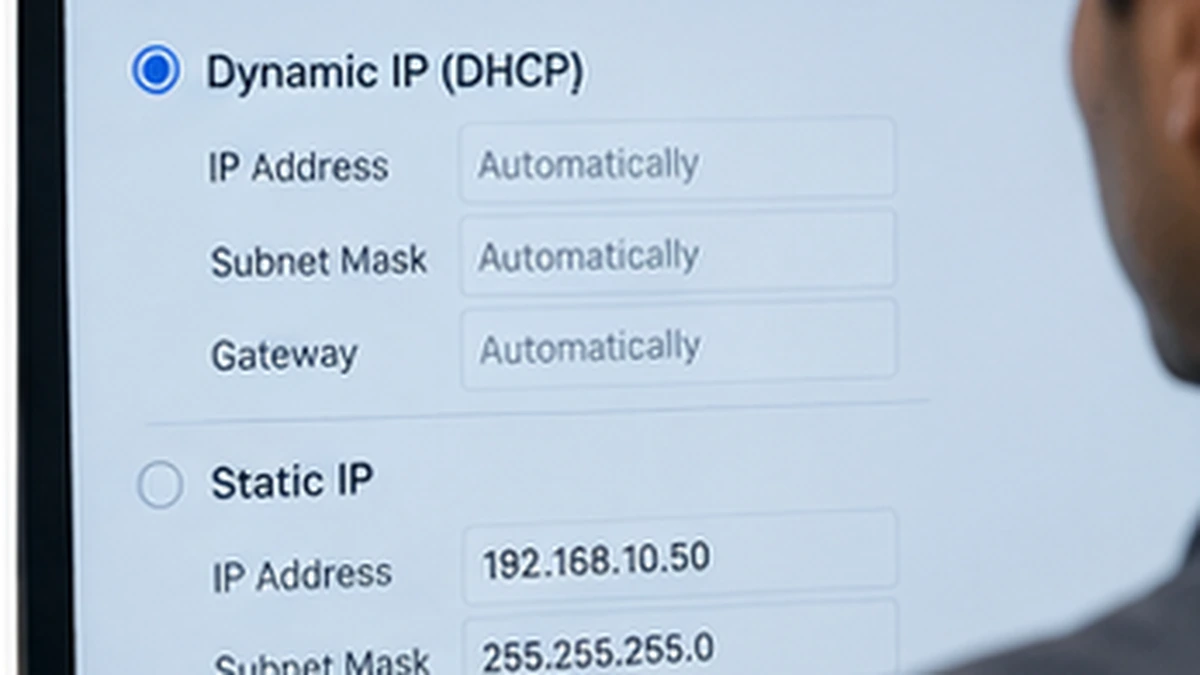
Usually no. Devices need values that fit the actual network, and copying a manual address can create conflicts. Use DHCP unless you have a clear reason to configure an address manually.
Does an IP address identify a person?
Not reliably by itself. Addresses can be shared, changed, translated, or routed through VPNs. Identity requires stronger evidence than one network address.
Should I change DNS or IP settings whenever the Internet feels slow?
No. Slow performance can come from Wi-Fi quality, congestion, routing, the remote service, or the ISP. Change network settings only when the symptoms and tests support that decision.
How to review your understanding of DNS and IP addresses
Open the relevant settings, DNS view, or router page and identify the values without changing them. Explain what each value controls, whether it is local or public, and what symptom you would expect if it were wrong. This turns DNS and IP addresses from a definition into a troubleshooting skill.
Then compare your explanation with the technical reference and correct any gap. Keep a short note with the terms you confused most often so the next network problem starts with a clearer mental model.
The DNS hierarchy distributes responsibility
DNS is not one central database. Root servers, top-level-domain servers, and authoritative servers divide responsibility so the system can scale across the global Internet.
Use a real device as the reference for this point. Write the current address, record, or route exactly as it appears, then explain what would change if the value were wrong. This turns the concept into a concrete diagnostic step instead of a definition you only memorize. For DNS and IP addresses, keep the example tied to the actual network or service you are testing.
Resolvers can return cached answers
If a resolver already has a valid cached answer, it may not query authoritative servers again until the TTL expires. This is why two users can temporarily receive different answers after a DNS change.
Compare the same setting on a second device or network when possible. A difference does not automatically mean one is wrong, but the comparison can reveal which values are supplied by the local router, provider, VPN, or DNS service. For DNS and IP addresses, keep the example tied to the actual network or service you are testing.
A hostname can map to multiple services
DNS can direct different names to different web servers, mail systems, APIs, or verification services. A domain zone therefore contains more than just the address used by the homepage.
Before changing configuration, save the current value and the time of the test. Networking problems can be temporary, so a small record helps separate a persistent configuration issue from a short outage or changing provider condition. For DNS and IP addresses, keep the example tied to the actual network or service you are testing.
Nameservers define where the authoritative zone lives
The registrar or parent zone delegates a domain to authoritative nameservers. Changing that delegation is a larger operation than editing one record because the new DNS provider must contain all required records.
Try to predict the symptom before running the test. If your prediction is wrong, update your mental model instead of changing more settings. This habit makes network troubleshooting more reliable and reduces trial-and-error changes. For DNS and IP addresses, keep the example tied to the actual network or service you are testing.
DNS troubleshooting should separate lookup from service access
First confirm whether the expected record resolves. Then test whether the returned server actually accepts the connection. Treating these as separate tests prevents a web-server failure from being misdiagnosed as DNS.
Finish this step by explaining the result without jargon to someone who does not manage networks. If you can describe what the value controls, where it is valid, and what it cannot prove, you probably understand the concept well enough to use it safely. For DNS and IP addresses, keep the example tied to the actual network or service you are testing.
Authoritative resource to review
For a technical reference related to this topic, review ICANN – Domain Name System. Use your device manufacturer, ISP, hosting provider, or network administrator for configuration details that are specific to your environment.
Keep one dated note of the real network values you observed while learning DNS and IP addresses. That small record gives you a reliable baseline for future troubleshooting and helps you notice when a provider, router, device, or DNS setting has actually changed.
Final perspective
Dns and ip addresses becomes much less confusing when each value is connected to one job: identifying an interface, deciding what is local, finding the next router, translating a name, or protecting a connection. Learn the role first, then learn the syntax and tools. That order makes troubleshooting faster and reduces the chance of changing the wrong setting.
Leave a Reply